Mobile POS for restaurants, bars and hotels
The whole restaurant, on the phone in your pocket.
TablID turns the order pad, the shout to the kitchen and the bill book into one app. Photograph your printed menu and AI sets the whole thing up — the dishes, the prices, a picture for each one, even what goes into them. It runs on the Android phone you already own, and on your waiters’ phones too. There is no desktop to buy and no machine to rent.
- ₹7,000 a year, all taxes included
- No commission, ever
- First month free
We’re setting up our first restaurants now.
- 1Guest scans
- 2Orders from their seat
- 3Kitchen gets the ticket
- 4You watch every table
- 5Mark it settled
Four kinds of place. One app.
It began in a restaurant, and the parts that are not a restaurant are not bolted on — they are the same tables, rounds and bills, told to behave differently. You say what kind of place this is when you start, and the app changes its words to match.
A restaurant
Tables and rounds, a kitchen screen or a printed slip, a running bill the guest can watch, and a proper GST invoice at the end of it.
A bar
Sold by the peg or by the whole bottle, with the MRP printed on a sealed one. Drinks go to the bar’s own printer, are billed at their own rate, and never wait behind the kitchen.
A hotel
Rooms sit on the same floor screen as the tables. Check a guest in, room service goes on their folio, and the whole stay leaves as a file the property’s own system can read.
A takeaway counter
No table involved. The counter takes an order down the same pipe, prints the same slip, and settles it the same way.
A place that is two of these at once is one account, not two.
A hotel with a bar in it, or a restaurant with a takeaway counter at the front, is the normal case rather than the awkward one. The rooms, the tables and the counter share one menu, one kitchen, and one day’s takings.
Everything you already do. Nothing written twice.
Your restaurant works. The pad, the shout, the diary — they work. What they cost you is the second time you write a thing down, and every place a number can go missing between the table and the till.
- The waiter writes the round on a pad.
- The waiter taps it on their own phone.
- Somebody carries the slip to the kitchen.
- The kitchen has it the second it is sent.
- “Whose butter chicken is this?”
- Every dish carries its table number.
- A dish runs out and the floor finds out at the table.
- Mark it finished once. Every phone in the room updates.
- The bill is added up by hand, twice, to be sure.
- The bill totals itself, GST and all, and prints.
- What is left in the store is anybody’s guess.
- What is left, what it cost, and what the dish it goes into earns you.
- Today’s takings are known tomorrow morning.
- Today’s takings are on your phone right now.
- Last month’s regulars are in somebody’s memory.
- Who came back, how often, how much — on a screen.
You do not have to change how you run the place.
Guests can order from their own phone, or your waiter can take the order the way they always have. A kitchen with a screen sees the order on the screen; a kitchen without one gets a printed slip. You choose which parts you want, and you can change your mind.
A paper menu can’t tell them the fish is finished.
Your dishes, photographed, with a clear price and a veg or non-veg mark, on the phone already in their hand. Half plate or full, they pick. When the kitchen runs out, every table knows before they order it.
Spice Route
Table 4
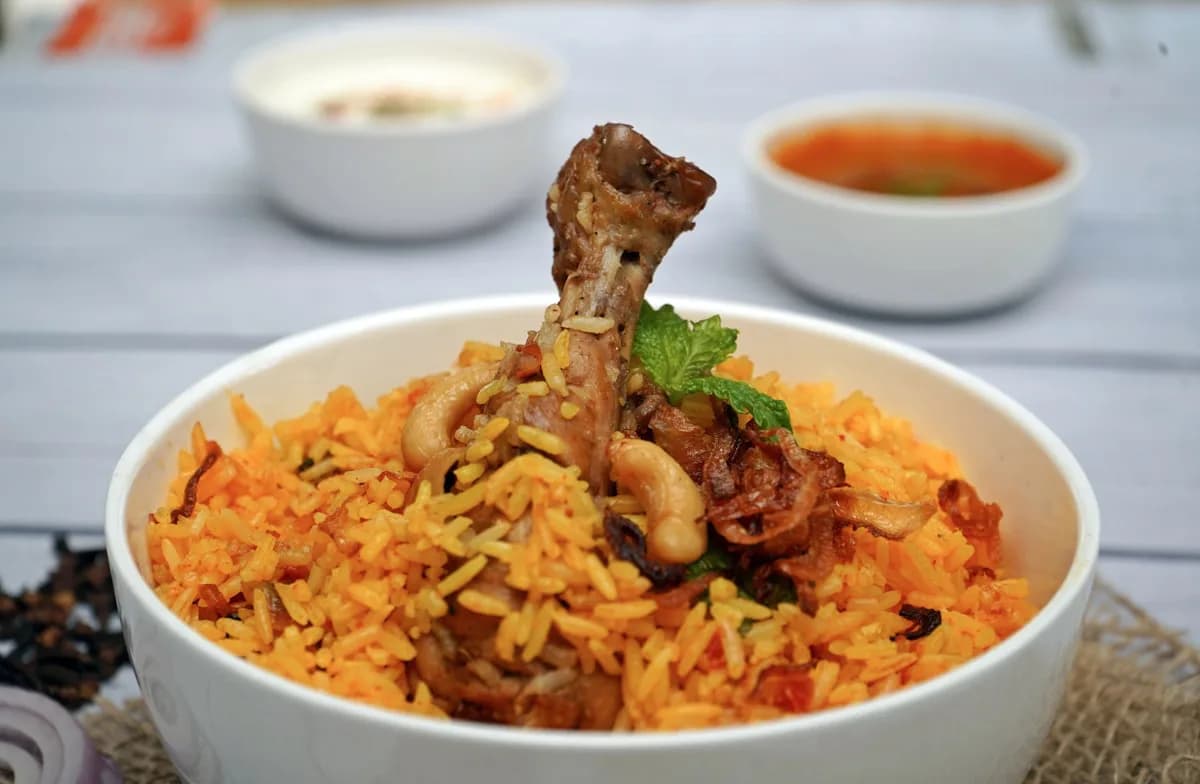
Hyderabadi Dum Biryani
₹340
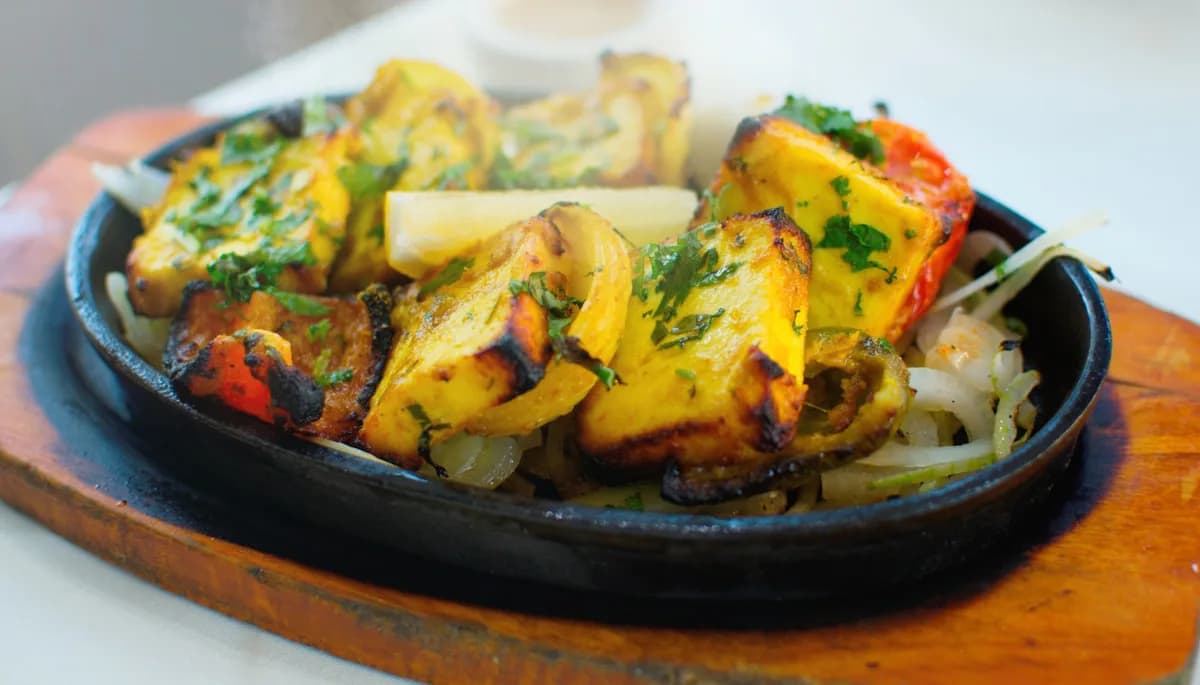
Paneer Tikka
₹280
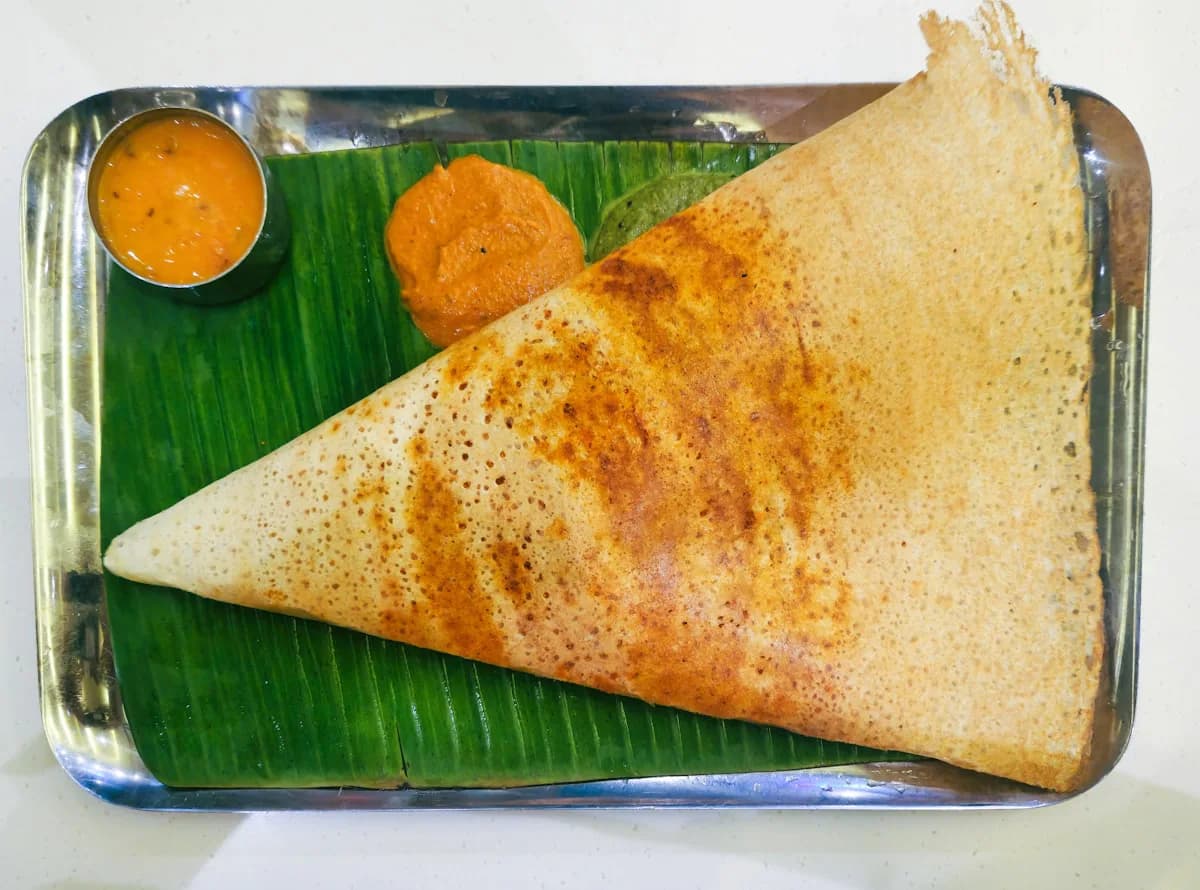
Masala Dosa
₹160

Gulab Jamun
₹120
Watch one tap travel.
Nobody has to wonder where their food is. The kitchen moves each dish along, and when the last one is done the guest’s phone and your floor say so on their own. Nobody has to remember to mark the order ready.
The guest’s phone
Ready in about 15–20 min
- 2 × Hyderabadi Dum BiryaniQueued
- 1 × Paneer TikkaQueued
The bill so far
₹960
The kitchen screen
Table 4
Waiting 11 min
2× Hyderabadi Dum Biryani
Queued1× Paneer Tikka
less spicy
Queued
Your floor
Table 4
With the kitchen
Round 2 · ₹960
A screen in the kitchen, or a printed ticket. Your choice.
This is the part most software gets wrong for a kitchen like yours: it assumes a screen, a stand and somebody free to tap it. TablID works either way, and the choice is a setting, not a different product.
If you have a screen
Any old tablet, laptop or TV with a browser
- Dishes appear as they are ordered, oldest first, so nothing quietly ages at the bottom.
- Each dish is ticked off on its own — two starters up and a main still cooking is the normal case.
- The internet drops and it keeps working, then catches up when the line is back.
- No ticket is lost, and no dish is cooked twice.
- The guest is told an honest waiting time, from the dishes ordered and how loaded the kitchen is right now.
If you don’t
A thermal printer, and paper slips
- The slip prints itself the moment the order is accepted. Nobody has to remember to press print.
- One slip per order: table, time, dishes, portions, and whatever the guest asked for.
- Bluetooth, or a printer on your restaurant’s wifi. Your staff app holds the connection open, so no ticket costs a re-pair — on an iPhone the same as on Android.
- Kitchen slips on the printer in the kitchen, drinks on the bar’s, bills on the one at the till — each on its own 58 mm or 80 mm roll.
- Reprint any round if a slip is lost or a cook needs it again.
KITCHEN
2 × Hyderabadi Dum Biryani
1 × Paneer Tikka
** less spicy
Round 2
This is the ticket. It leaves the printer the moment you accept the order, with the table, the round, and exactly what the guest asked for, in their own words.
A dinner rush is the only test that counts.
The order is written to the database before anything else happens, so a phone that loses signal, a browser that reloads or a tablet that sleeps cannot take an order with it. That is the one thing we refuse to compromise on.
Your waiters already own the hardware.
Each waiter signs in on their own phone with their phone number. No shared machine at the counter, no queue to bill, no device to hand around and lose. The moment a guest orders it is on your waiter’s screen; one tap accepts it and claims the table.
- Working alone
- Orders arrive on your phone. You are the owner, the waiter and the cashier, and you still only open one screen.
- A few waiters
- Tables are shared automatically when guests sit, or a waiter picks a table himself. Every waiter sees the whole floor, so no table is a blind spot.
- A busy floor with a captain
- Give a senior waiter the captain’s view. He can move a table from one waiter to another and see the team’s totals for the day.
- A manager running the place
- A manager does everything you do day to day: menu, tables, staff, settling bills. The account stays yours.
- The kitchen
- Kitchen staff see the kitchen and nothing else. There is nothing on their screen for them to break.
- Counter and takeaway
- Not every order has a table. A takeaway counter takes orders down the same pipe and prints the same slip.
It is an app, not a website. Your staff run TablID from a real app on their own phone, iPhone or Android. One screen to learn, and it holds the printer connection open so tickets keep printing on their own all evening. A waiter with both hands full can speak the round instead of tapping it — in Bengali, Hindi or English — and check it before it goes. Your guests still install nothing.
Add a waiter in a minute, remove one in a second. You invite them by phone number and they are in. When somebody leaves, you turn their access off from your phone — no password on a sticky note to worry about, and no machine to take back.
You should not have to be at the counter to know.
Who ordered, what’s late, what’s still owed — one screen, no shouting across the room, no pad to reconcile at closing. At home, at the market, or at your second branch, the answer is the same distance away.
Spice Route · today
Orders today
38
Sales today
₹24,680
Ground Floor · 6 tables
Table 1
Free
Table 2
Ordering
Round 1
Table 3
Cooking · 6 min
Round 1 · ₹480
Table 4
Ready to take out
Round 2 · ₹960
Table 5
Free
Table 6
Waiting to settle
₹1,240
Terrace · 2 tables
Terrace 1
Cooking · 11 min
Round 1 · ₹720
Terrace 2
Free
Today
What has come in, which tables are running, what has been settled — and what the day cost you in food. Live, not last night’s summary.
Any day, afterwards
Open any past date, open any single bill, see every dish on it and what time it was ordered. Print it again if you need to.
Your regulars
Guests are recognised by phone number, so you can see who comes back, how often, and what they have spent with you.
What they thought
Guests can leave a rating and a line after they pay. You see it; it does not go on a public review site first.
Proper GST bills
Registered, composition or unregistered — the bill says the right thing, numbered in an unbroken series per financial year.
Your menu, from your hand
Change a price, add a dish, or mark something finished, from wherever you are. Guests sitting at a table see it within seconds.
Opening hours
Set the week once. Outside your hours the menu says you are closed instead of taking an order nobody will cook.
Your own page on the internet
A link with your menu, photos, hours and directions, and a number to ring to book a table. Put it in your Instagram bio or send it on WhatsApp — no printing, always current.
Every order, every change of price and every settlement is recorded with who did it and when. Not to police your staff — so that when a figure looks wrong at the end of the night, there is somewhere to go and look.
You know what you sold. Do you know what it cost?
Paper tells you the takings and never the food cost, and the gap between those two numbers is the whole business. This is the part no QR menu has — and it stays switched off until you want it.
What each dish costs you
Every dish carries its recipe, and the recipe carries what you last paid. Oil goes up, and every dish made with oil re-prices itself.
A week of food cost
What the kitchen actually consumed against what it sold, and which dishes are carrying the rest of the menu.
Count it by talking
Hold the button and say it — “chicken, six and a half kilo” — in Bengali, Hindi or English. Nobody wants to type at eleven at night.
The supplier’s bill, photographed
Take a picture of what came in from the mandi. It reads the lines and proposes them; you fix anything it misread and approve.
What went in the bin
Wastage with a rupee value and a reason, ranked, so the one that is actually costing you sits at the top.
What is running out
A low-stock screen before service rather than during it, and a dish that can take itself off the menu when the thing it is made from is finished.
A bar counts bottles
Not kilos. Pegs poured and bottles sold, against the shelf, in the sizes it already knows.
Where it actually went
Counted against cooked against sold. When the three disagree the app says so, in rupees, and without an accusation.
You do not have to set this up on day one.
Open with the menu and the kitchen, and leave this off until the evening runs itself. When you do turn it on, the list of things to count is read off your own menu instead of typed — and that week of typing is the reason most restaurants never do this at all.
The typing is why nobody leaves paper. So the AI does the typing.
We use AI where it takes away work you would otherwise do by hand, and nowhere else. There is no chatbot here and nothing to prompt. Five things it works out on its own:
It reads your printed menu
Photograph the card. It pulls out the sections, the dish names, the prices, half and full, the veg and non-veg marks — and in a bar, which of the drinks are liquor and where they are made.
It draws every dish
A clean plated photograph for each one, with no photographer and no shoot. Swap in your own picture for any dish whenever you like.
It works out your recipes
From that same menu it drafts what goes into each dish, and therefore what you need to keep in stock. When a dish is one it is unsure of, it looks the dish up before it asks you.
It hears you in your own language
Bengali, Hindi or English, spoken — a stock count at closing, or a round at the table. It matches what it heard against your own list and reads it back before a thing is written.
It reads your supplier’s bill
A photograph of what came in from the market becomes stock lines, with quantities and prices, ready for you to check.
It proposes. You approve.
Nothing a model works out is written into your restaurant until you have looked at it and said yes — not a price, not a recipe, not a count. It is a very fast assistant that fills the form in; you are still the one who signs it. Your restaurant’s information is not sold, and we do not use it to train anything of our own.
What you get
Every item below is working software, not a plan.
For your guests
- Photo menu, by category, with search
- Veg and non-veg marks
- Half, full, or any size you sell
- Notes on a dish: “no onion”, “less spicy”
- Sold out vanishes the moment you tap it
- A running bill they can see any time
- No app, no account, no password
- Read the menu in Bengali or Hindi
- A public menu page to share on WhatsApp or Instagram
- A number to ring on that page to book a table
For your floor
- Every table on one live screen
- Automatic or hand-picked table assignment
- Seats and party size
- Move a party to a different table
- Counter and takeaway orders
- Put an order in yourself, for a guest who’d rather tell you
- Full day history: every order, every bill
- Guest feedback after the meal
For your kitchen
- Live kitchen screen, oldest first
- Tick off dishes one at a time
- Survives a network drop and loses nothing
- Thermal ticket printing over Bluetooth or wifi
- Prints by itself when you accept
- Reprint any round
- A third printer for the bar, so drinks never queue behind food
- Cancel a single dish without touching the rest
For your stock
- Your counting list, read off your own menu
- A recipe for every dish, drafted for you
- What each dish costs, and what it earns
- A week of food cost, and which dishes carry the menu
- Say the count out loud, in three languages
- Photograph the supplier’s bill instead of typing it
- Wastage with a rupee value and a reason
- Low stock before service, not during it
- Sold out on its own when an ingredient runs out
- Leave the whole thing switched off until you want it
For a bar
- By the peg, or by the whole bottle
- MRP on a sealed bottle
- Liquor billed at its own rate, on the same bill as the food
- Drinks to the bar’s own printer
- A drink is poured and done — no cooking step to tick off
- Count the shelf in bottles, not kilos
- Happy hour on a schedule
For a hotel
- Rooms on the same floor screen as the tables
- Check a guest in, and bind the room to them
- Room service on that room’s folio
- A stay leaves as a file your property system can read
- Say the kitchen is closed on the menu, not at checkout
- A hotel that also runs a bar is still one account
For the money
- No commission on any order, ever
- GST invoices: regular, composition, or unregistered
- Sequential invoice numbers, CGST/SGST split
- More than one tax rate on one bill, named per dish
- Happy hour on a schedule, priced per dish and per size
- Split one bill between people — one invoice, a slip each
- Your own service or packing charge
- Discounts
- UPI to your own account, or cash at your counter
- Settle once and the bill is frozen for good
For you
- Owner, manager, waiter and kitchen each see their own view
- Sign in with a phone number. No passwords.
- Invite staff, remove staff
- A real app for your staff, on iPhone and Android
- An alert when an order comes in
- One card per table, printed once, good for years
- Your logo on the table card
- Two branches on one account
Something you need that isn’t on this list?
Ask us. Much of it is already built and simply did not fit on one page. If what you need is genuinely missing, we will tell you straight instead of making false promises.
Bring your paper menu. That is what we need from you.
The reason most restaurants never get off paper is the week of typing at the start. We took that week out.
- 1
Photograph your menu — the printed one, or the laminated card.
AI reads the pages and pulls out the sections, the dish names, the prices, half and full, and the veg marks. You check it and fix anything it misread. This is the week of typing, done in the time it takes to drink a cup of tea.
- 2
Every dish gets a photograph.
You do not need a photographer or a shoot. Each dish is generated as a clean plated picture, and you can replace any one of them with your own photo whenever you like.
- 3
Your tables get their cards.
One QR card per table, printed from the app. The code never changes — change your menu, your prices or your kitchen and the same card still works next year.
- 4
Your staff sign in.
You add their phone numbers. They install the app and sign in with a code sent to that number. Nothing to configure.
- 5
You open.
The first month is free. Not a limited demo — the whole thing, in service, with real guests, so you are deciding against evidence rather than a promise.
And when you add three dishes next month?
You add them yourself, in the app, in a minute. You are not waiting on us and there is no charge for it.
We are a mobile POS. Not a cloud POS you buy a machine for.
That sentence is the whole difference. Everyone else starts by putting a computer on your counter. We start with the phone in your pocket.
Against a full cloud POS
Petpooja and the rest- A dedicated computer at the counter, with an SSD and a UPS behind it.
- Somebody standing at that counter to bill.
- QR ordering and the kitchen screen are extra modules, priced separately.
- The price is not published. You find out what you pay after a sales call.
- An Android phone. The one you have.
- Bill from anywhere in the room, or from home.
- QR ordering, the kitchen screen and printing are included, not add-ons.
- The price is printed further down this page.
Against a billing machine
EZO and similar- A billing app that came with a printer, sold to any shop — clothing, grocery, hardware, restaurant.
- It bills, and it counts the packets on your shelf. For a shop that sells exactly what it buys, that is enough.
- It does not know what a table is, or a waiter, or a kitchen.
- The guest is never part of it.
- Built for restaurants and nothing else.
- A kitchen does not sell what it buys — it cooks it. We cost the recipe, so you know what the dish earns you, not what the sack cost.
- Tables, rounds, waiters, kitchen, guests, feedback and the bill — one system.
- The bill is the last step of the evening, not the only step.
- Your guest holds half of it, in their hand, at the table.
And against the aggregators, one number: zero.
We take no commission on any order, ever. Guests pay you at the counter or by UPI into your own account. What you charge is what you keep, and the price below is the only money that comes to us.
You keep the whole bill.
Delivery apps take a cut of every order they touch. On your own dine-in orders, TablID takes nothing. Guests pay you directly, on your own UPI — the money never passes through us, so there is no commission to take and no settlement to wait for.
One price, printed. Nothing else to add up.
Your price depends on one thing — how many tables you have — so a small place pays like a small place.
Up to 20 tables
₹7,000/ year
or ₹799 a month
About ₹19 a day on the yearly price
More than 20 tables
₹12,000/ year
or ₹1,200 a month
About ₹33 a day on the yearly price
- All taxes included
- No commission on any order
- First month free, no setup fee
- Guest QR ordering
- Kitchen screen and printed slips
- Unlimited waiters and staff
- GST bills and daily reports
- Stock, recipes and food cost
- Everything a bar or a hotel needs, included
- Phone support, in Bengali
Two extras, sold separately. Take one, take both, or take neither — each is paid for once, not every year.
Pictures of your food
A photograph for every dish on your menu. Priced on how many dishes you have, and nothing else. Half plate and full plate is one dish, not two.
- Up to 150 dishes
- ₹500
- 151 – 300 dishes
- ₹1,000
- 301 dishes and above
- ₹1,500
Your menu in another language
₹500 a language for the whole menu — not per dish. Dishes you add next month are translated too, free. Your guest taps which language they want to read.
- Bengali — the whole menu
- ₹500
- Hindi — the whole menu
- ₹500
Typing your printed menu into the app is part of your plan and costs nothing. Neither extra is needed to open.
Above forty tables, call us instead — it is usually a better price than this.
Straight answers.
- My guests aren’t tech-savvy.
- There is nothing to install and nothing to log into. Their phone camera opens the menu, and they order from the same screen. A guest who would rather tell the waiter tells the waiter, and the waiter puts it in — both end up in the same place.
- There is no screen in my kitchen.
- Then it prints. A thermal printer, over Bluetooth or your own wifi, prints the ticket by itself the moment you accept an order, and your cooks read paper exactly as they do today. A screen is the other option, not the requirement.
- I am not a plain restaurant — I run a bar, or a hotel.
- Both are built, not promised. A bar sells by the peg and by the whole bottle, prints its drinks on its own printer, and bills liquor at its own rate on the same bill as the food. A hotel gets rooms on the same screen as its tables, check-in, room service on the folio, and the whole stay as a file whatever system the property already runs can read. A hotel with a bar in it is one account, not two.
- What if the internet goes down in the middle of service?
- The kitchen screen keeps working through a drop and catches up when the connection is back. Orders already taken are safe, and none is served twice. If your connection is genuinely unreliable, tell us before you sign — we will say so honestly rather than sell you something that will annoy you nightly.
- Do I have to count my stock by hand every night?
- No — and you do not have to use that part at all. It is a switch, and plenty of restaurants open without it. If you do turn it on, the list of things to count is read off your own menu rather than typed, and you count by talking: hold a button and say “chicken, six and a half kilo”, in Bengali, Hindi or English.
- What does it cost?
- ₹7,000 a year up to twenty tables, or ₹799 a month; ₹12,000 a year above twenty, or ₹1,200 a month. All taxes included, no setup fee, and no commission on any order. The first month is free.
- What happens to my data if I stop?
- It is yours. Ask and we will give you everything — your menu, your bills, your day totals — in a form you can open. We do not hold your history to keep you, and we never sell it to anyone.
- What is the AI actually doing with my restaurant’s information?
- It reads things so that you do not have to type them — your printed menu, a supplier’s bill, a count you say out loud — and every one of those comes back as a proposal you approve or throw away. Nothing it works out is written into your restaurant on its own. We do not sell your information, and we do not use it to train anything of our own.
- How long does setup take?
- Bring your paper menu and we read it in. One card per table, printed from the app — put them out and you are open. The code on a card never changes, so a card printed today works next year.
What you need
- An Android phone. Any one you already own.
- Wifi, or mobile data on that phone.
- Your menu on paper, so we can read it in.
- Your waiters’ phone numbers.
What you don’t
- A desktop computer at the counter.
- A UPS, an SSD, or a technician to install any of it.
- A billing machine, bought or rented.
- A tablet for every waiter — they use their own phones.
Table 4
Scan for the menu — order from your seat
TablIDThis is the whole installation: one card per table, printed once. Nothing to mount, nothing to charge, nothing to replace when the menu changes.
Try it for a month. Nothing to pay first.
We will read in your menu, print your table cards and sit with you through one dinner service. If it does not make your evening easier, you owe us nothing and you keep your paper.
Book a 15-minute demoWe’re setting up our first restaurants now.